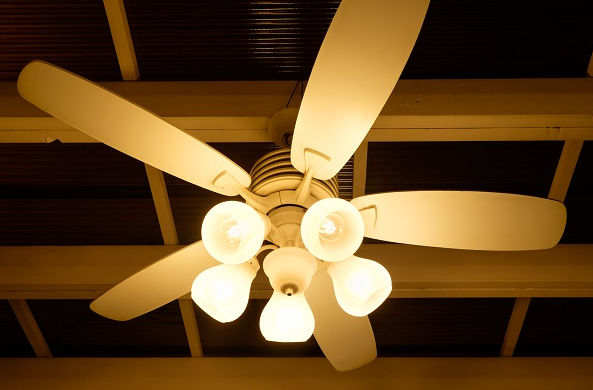
Yes, many ceiling fan lights are dimmable, but it depends on the compatibility between the light kit, the bulbs, and the control method. Modern LED-integrated fans often include dimming, while older models may require dimmable-rated bulbs and specific wall or remote controls to function correctly without flickering or buzzing.
Achieving the perfect ambiance in your home today requires a system-level approach. Whether you are upgrading an existing fixture or shopping for a new one, understanding how these components interact is the first step toward smooth, flicker-free lighting.
Contents
Factors That Affect Dimmer Compatibility?
Key takeaway: Dimming is a system-level feature, not just a bulb feature. For a fan light to dim properly, the light kit hardware, the specific bulbs used, and the control interface must all be designed to communicate with one another.
Type of Ceiling Fan Light Kit
The design of your light kit is the first gatekeeper. Integrated LED kits, which feature built-in LED boards rather than sockets, usually have the dimming driver built into the fan’s internal circuitry. If you have a traditional socket-based kit, dimming is possible only if the sockets are wired to a dimmable control module.
If you are looking to upgrade an older fan, you might wonder Are Ceiling Fan Light Kits Interchangeable?. While many are, you must ensure the new kit’s wiring supports the dimming signals sent by your wall switch or remote receiver.
Bulb Type Matters (LED, CFL, Incandescent)
Not all bulbs are created equal. Incandescent and halogen bulbs are naturally dimmable because they rely on simple voltage reduction. However, most homeowners now prefer LEDs. If you use a non-dimmable LED bulb in a dimming fixture, you will likely experience annoying flickering or a total failure to illuminate.
Choosing the Best LED Bulbs for Ceiling Fans requires looking for a “Dimmable” label on the packaging. Compact Fluorescent (CFL) bulbs are rarely dimmable and should generally be avoided if you plan to use a dimmer switch, as they can burn out prematurely when voltage is lowered.
Control Method (Wall Switch vs. Remote)
The interface you use to control the fan is the final piece of the puzzle. Traditional pull chains are strictly on/off switches; pulling them repeatedly will not dim the light. To add dimming, you typically need a compatible wall dimmer or a remote control system.
Remote-controlled fans are often the most reliable for dimming because the receiver is specifically paired with the motor and light kit. Installing a Best Universal Ceiling Fan Remote Control is a popular way to add dimming functionality to a fan that originally lacked it.
Are All Ceiling Fan Lights Compatible With Dimmer Switches?
Key takeaway: No. Using a standard incandescent wall dimmer with a ceiling fan light—especially one with LED bulbs—can cause electrical noise, flickering, or permanent damage to the fan’s receiver.
A common mistake is installing a basic slider dimmer meant for standard room lights. These dimmers often use “Triac” technology that may not be compatible with the low-wattage draw of modern LEDs. Furthermore, if you accidentally connect the fan’s motor to a light-only dimmer, you risk burning out the motor.
According to technical standards from Lutron, you should always use a fan-rated dimmer switch. These switches are designed to handle the inductive load of the motor and the resistive or capacitive load of the lights separately, ensuring that adjusting your brightness doesn’t interfere with the fan’s speed.
Recommended Dimmer and LED Bulb Combinations
The following table outlines hardware combinations that have high success rates in residential ceiling fan light kits today. These pairings are selected based on their ability to handle the specific electrical frequencies of LED drivers without creating motor interference.
Here are dimmer and bulb pairings that consistently work well in residential ceiling fan light kits. Adjust the “low-end trim” as needed for best results.

| Dimmer Brand/Series | Recommended LED Bulb | Compatibility | Why It Works |
| Lutron Diva LED+ | Philips Ultra Definition | Excellent | Advanced “trim” adjustment prevents low-end flickering. |
| Leviton Decora Smart | Cree Lighting Professional | Excellent | Digital microprocessor matches the LED driver frequency. |
| Lutron Skylark Fan/Light | GE Relax Dimmable LED | Good | Dual-slide control isolates motor noise from the light circuit. |
| Universal Remote Kits | Integrated LED Modules | Variable | Compatibility depends on the fan’s internal DC driver. |
When using these combinations, you may still need to adjust the “low-end trim” (a small dial or button on the switch) to ensure the lights don’t cut out when dimmed to their lowest setting. If you find your lights are still erratic after using these pairings, check for a loose neutral wire or refer to our guide on Ceiling Fan Lights Not Working but Fan Works? How to Fix.
Common Problems When Dimming Ceiling Fan Lights
Key takeaway: Most dimming issues stem from a “mismatch” between the bulb’s driver and the switch’s dimming signal, resulting in visible or audible interference.
Light Flickers or Buzzes When Dimmed
Flickering is often a sign that the LED bulb is not receiving enough voltage to stay lit, or the dimmer is sending a “choppy” signal that the bulb cannot process. Buzzing is usually a mechanical vibration in the bulb’s internal components caused by the rapid switching of the dimming circuit.
Light Won’t Dim at All
If your light stays at 100% brightness regardless of the setting, the bulb likely does not support dimming, or you are using a digital remote system that has been “locked” into an on/off mode. If your fan operates but the lighting is erratic, check our guide on Ceiling Fan Lights Not Working but Fan Works?
Light Turns Off at Low Settings
Many LEDs have a “drop-out” point where the voltage becomes too low for the LED driver to operate. High-quality dimmers allow you to adjust the “low-end trim,” which sets a minimum brightness level to prevent the lights from cutting out entirely.
Adding Dimming to Non-Dimmable Fans?
Adding dimming functionality is usually possible by installing a remote control receiver inside the fan’s canopy. This receiver intercepts the power and allows you to adjust light levels digitally. However, if your fan has an integrated LED board that was not designed to be dimmable, no amount of external switching will change that.
In some cases, if a remote stops responding to dimming commands, you may need to learn How to Reset Ceiling Fan Remote to restore the factory settings. Some fans require you to hold down the light button to “cycle” through dimming levels.
Smart Ceiling Fans and App-Based Dimming
Smart fans are the gold standard for dimming today. These units allow for precise percentage-based control through apps or voice assistants like Alexa. Most smart fans utilize DC motors, which are inherently more compatible with digital dimming. To learn more about these efficient systems, see our comparison of AC vs DC Ceiling Fan.
When You Should NOT Attempt to Add Dimming
- Non-dimmable LED modules: Integrated boards labeled “Non-Dimmable” can overheat if voltage is restricted.
- Proprietary Systems: Fans with specialized, brand-specific circuit boards (like some high-end luxury fans) may not accept universal dimming modules.
- Older Integrated Boards: Early LED fans from a decade ago often lack the drivers necessary for modern dimming protocols.
How to Check If Your Ceiling Fan Light Is Dimmable
If you are unsure of your fan’s capabilities, follow this quick checklist:
- Check the Bulb: Remove the bulb and look for “Dimmable” printed on the base.
- Consult the Manual: Look for “Dimming” or “Light Control” in the features section.
- Inspect the Remote: Dimmable remotes often have a sun icon or a “+” and “-” sign on the light button.
- Visit the Manufacturer Site: Search for your model number on official sites.
Conclusion
Most ceiling fan lights today are dimmable, provided you have the correct combination of a dimmable-rated bulb and a compatible controller. Dimming is one of the easiest ways to improve the comfort and usability of a room, allowing your ceiling fan to serve as both a functional task light and a soft ambient light source.
Always prioritize compatibility before purchasing new bulbs or wall switches. With the right hardware, you can eliminate flickering and enjoy smooth, adjustable lighting.
FAQs
Can LED ceiling fan lights be dimmed?
Yes, but only if the LED bulb is specifically labeled “Dimmable” and is paired with a compatible LED-rated dimmer switch or remote control receiver.
Why do my fan lights flicker on a dimmer?
Flickering is usually caused by using non-dimmable LED bulbs or an older incandescent dimmer switch that cannot handle the low-wattage load of modern LEDs.
Can I use a regular dimmer switch with a ceiling fan?
No. You should only use a fan-rated dimmer. Regular light dimmers can damage the fan motor if accidentally wired to the wrong circuit or cause electrical interference with the fan’s receiver.
Do remote-controlled ceiling fans support dimming?
Most modern remote-controlled fans support dimming. You may need to activate the feature by holding down the light button or toggling a small switch inside the remote’s battery compartment.


