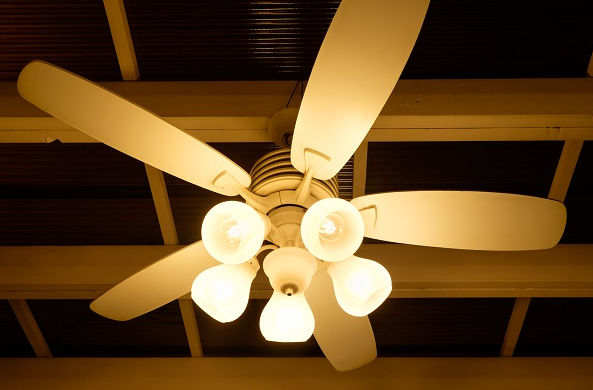
There is nothing quite as frustrating as sitting down for a quiet dinner only to have your ceiling fan light start blinking like a strobe light at a disco. Beyond the immediate annoyance, a flickering light is often a “canary in the coal mine” for underlying electrical issues. It could be as simple as a loose bulb or as complex as a failing wattage limiter.
Ignoring a flickering ceiling fan light isn’t just a matter of comfort; it is a safety priority. Electrical flickering often stems from loose connections, which can lead to arcing—a primary cause of household electrical fires. This guide, written from my years of experience as a home comfort specialist, will help you diagnose the “why” and execute the “how” to get your room back to a steady, warm glow.
Contents
Quick Answer: Why Your Ceiling Fan Light is Flickering
A ceiling fan light typically flickers due to a loose light bulb, incompatible LED bulbs used with a dimmer switch, or a failing wattage limiter inside the fan housing. Most issues are solved by tightening connections or ensuring your bulbs match the voltage and dimming requirements of your fan’s specific remote or wall control.
The Initial Diagnosis: Is it One Bulb or All of Them?
Before you start pulling wires apart, you need to isolate the scope of the problem. This simple observation will cut your troubleshooting time in half.
Scenario A: Only One Bulb Flickers
If your light kit has multiple bulbs and only one is acting up, the problem is localized. You are likely dealing with a bulb reaching the end of its life, a loose fit in the socket, or a corroded socket tab. This is rarely a sign of a house-wide wiring issue.
Scenario B: All Bulbs Flicker Simultaneously
When the entire light kit blinks in unison, the “source” of the problem is further up the line. This points toward the fan’s internal receiver, a wattage limiter, a faulty wall switch, or a loose wire nut in the ceiling junction box. If you also notice your Ceiling Fan Lights Too Dim, the issue is almost certainly related to the wattage limiter or the power supply.
Cause #1: Incompatible or Failing LED Bulbs
Now, most homeowners have transitioned to LED bulbs for energy efficiency. However, ceiling fans—especially older models—were often designed for incandescent loads. LEDs require a steady, specific voltage that many older fan receivers struggle to provide.
Why it Happens
LED bulbs operate on Direct Current (DC). They contain a small “driver” circuit that converts the AC from your house. If that driver is low-quality or not designed for “dimming,” it will struggle when the fan’s remote control tries to adjust the brightness. This results in a rapid, visible pulse.
The Fix
Ensure you are using “Dimmable” LED bulbs from a reputable brand. If your fan uses a remote control, check if your fan is an AC or DC model, as this affects how the light is modulated. You can learn more about this in our guide on How to Tell if Ceiling Fan is AC or DC.
Cause #2: The Infamous Wattage Limiter
If you have a fan manufactured after 2005, it likely contains a small black box known as a “wattage limiter.” This device was mandated by federal law to prevent fans from drawing more than 180 watts of power (to reduce fire risk from high-heat incandescent bulbs).
Signs of a Failing Limiter
A failing limiter doesn’t just cut the power; it often causes the lights to flicker or shut off entirely after being on for a few minutes. You might also find that your lights work on “low” but flicker when turned to “high.”
The Fix
You can replace the wattage limiter with a new unit, or many DIYers choose to bypass it entirely if they have switched to low-wattage LED bulbs (which stay well under the 180-watt limit). For a detailed walkthrough on this specific repair, see our article on the Ceiling Fan Wattage Limiter.
Cause #3: Loose Wiring at the Fan or Switch
Vibration is the natural enemy of electrical connections. Since a ceiling fan is a rotating mechanical device, it produces constant micro-vibrations. Over years of use, these vibrations can loosen the wire nuts inside the canopy or the switch cup.
Why it Causes Flickering
A loose wire creates an “intermittent” connection. As the fan rotates, the wire may physically move just enough to break the circuit for a millisecond, causing a flicker. If you notice that the light flickers specifically when the fan is on high speed, vibration is your primary suspect.
Exact Fix
- Turn off the breaker. Never work on a fan with just the wall switch off.
- Lower the canopy (the bell-shaped piece against the ceiling).
- Inspect the wire nuts. If any wires feel “wobbly” inside the nut, unscrew it, realign the wires, and screw it back on tightly.
- If your fan is also making a “click-clack” sound, check out Ceiling Fan Making Clicking Noise to solve both issues at once.
Cause #4: Incompatible Dimmer Switches
Not all dimmers are created equal. If you are using an old “leading-edge” dimmer (designed for incandescent bulbs) with modern LEDs, the electrical “clash” will cause significant flickering, especially at lower brightness levels.
Signs of Switch Incompatibility
The flickering usually happens at specific points on the slider or dial. For example, the light might be steady at 100% brightness but flicker wildly when dimmed to 50%.
The Fix
Replace the wall switch with a CL-rated dimmer designed specifically for LED and CFL loads. If your fan has a remote control, you should generally avoid using a wall dimmer entirely; instead, use a standard “On/Off” toggle and control the dimming via the remote to avoid “double-dimming” the circuit.
Cause #5: Faulty Light Sockets and Tabs
Inside every light socket is a small brass tab at the bottom. This tab must make firm contact with the base of the light bulb. Over time, heat can cause this tab to lose its “springiness,” or it can become corroded.
How to Diagnose
If the flickering stops when you wiggle the bulb slightly, the socket tab is the culprit.
The Fix
With the power completely off, use a small flathead screwdriver to gently pry the brass tab upward (about 1/8th of an inch). This ensures it makes a tight connection with the bulb. If the socket looks charred or black, the entire light kit may need replacement to avoid a fire hazard.
Advanced Troubleshooting: When to Dig Deeper
If you have checked the bulbs, the limiter, and the wiring, but the flickering persists, you may be dealing with more advanced issues.
1. Circuit Overload
Does the fan light flicker only when the air conditioner or a space heater kicks on? This indicates a “voltage drop” on that circuit. Your fan is sharing a circuit with a high-draw appliance, and when that appliance starts up, it starves the fan of power for a split second.
2. Failing Remote Receiver
The receiver is the “brain” of your fan, usually tucked into the mounting bracket. These contain capacitors that can fail over time. If the receiver is failing, you may also experience issues with the fan speeds or hear a grinding sound. If so, read our guide on Ceiling Fan Making Grinding Noise to see if the motor itself is at fault.
What NOT to Do: Common Safety Mistakes
- Don’t “Over-Tighten”: Screwing a bulb in too hard can actually flatten the socket tab, making the flickering worse.
- Don’t Mix Bulb Types: Never use one LED and one Incandescent bulb in the same light kit. They draw power differently and will cause the limiter to malfunction.
- Don’t Ignore a “Hot” Switch: If your wall switch feels warm to the touch while the light is flickering, turn it off immediately. This is a sign of a serious electrical short.
Pro Tips for a Flicker-Free Future
- Standardize Your Bulbs: Use the same brand and model of bulb for every socket in the fan.
- Use Vibration-Rated Bulbs: Some LEDs are specifically labeled as “vibration resistant.” These are ideal for ceiling fans.
- Check Your Neutral: A “floating neutral” in your home’s main panel can cause flickering across multiple rooms. If the flickering happens on multiple fixtures, call an electrician.
FAQ Section
Why does my ceiling fan light flicker randomly?
Random flickering is usually caused by “dirty power” or interference from other appliances on the same circuit. It can also be caused by a loose wire nut that shifts as the house settles or as the fan vibrates.
Can a bad capacitor cause flickering?
Yes. If the capacitor in the fan’s light-start circuit or the remote receiver is leaking or bulging, it won’t be able to provide steady voltage, leading to a strobe effect.
Are LED bulbs safe in ceiling fans?
Yes, provided they are “Dimmable” (if your fan has a dimming feature) and fit the wattage requirements. In fact, LEDs are safer because they produce less heat, which preserves the life of the fan’s internal wiring.
Is flickering dangerous?
It can be. While often just a bulb issue, flickering caused by loose wiring can lead to “arcing,” which creates heat and can ignite surrounding dust or insulation.
Should I replace the fan or just the light?
Most light kits are modular. If the fan motor works fine and doesn’t make a Ceiling Fan Making Grinding Noise, you can usually just buy a replacement light kit for $30–$60 rather than replacing the entire $200 fan.
Conclusion
A flickering ceiling fan light is a problem you can usually solve yourself with a little patience and a systematic approach. Start with the easiest fix—the bulbs—and work your way up to the wiring and the wattage limiter. By taking the time to fix the flicker now, you aren’t just saving your eyesight; you are ensuring your fan operates safely for years to come. If your lights are still acting strange after these steps, it might be time to check if they are simply underpowered by reading our deep dive on Ceiling Fan Lights Too Dim.


