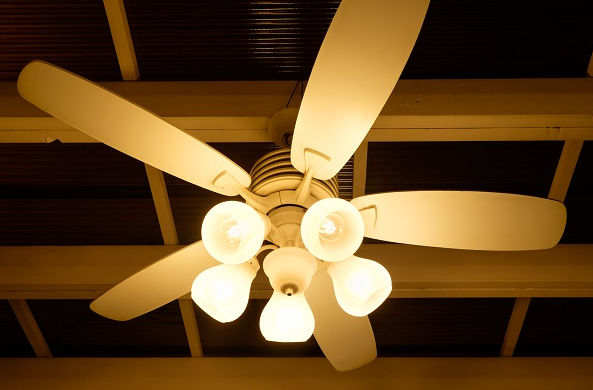
You flip the switch and expecting a bright, vibrant room, but instead, your ceiling fan light offers nothing more than a dull, yellow glow. If your ceiling fan lights are too dim, it can make reading, cooking, or even navigating your home frustrating. This is a surprisingly common issue, particularly with fans manufactured in the last two decades.
In most cases, the lack of brightness isn’t a sign that your fan is broken. Rather, it is usually a result of internal safety limiters, incorrect bulb choices, or specific remote settings. This guide will walk you through the mechanical, electrical, and aesthetic reasons why your ceiling fan isn’t lighting up the room like it used to, and how you can fix it for a brighter experience.
Contents
Quick Answer: Why Your Ceiling Fan Lights Are Too Dim
The most common reasons for a dim ceiling fan light are inefficient low-lumen bulbs, a failing wattage limiter (a safety device that restricts power to 190 watts), or an active dimming mode on your fan’s remote control. Replacing old bulbs with high-lumen LEDs and resetting the remote’s brightness memory usually restores full illumination instantly.
1. Wrong Bulb Selection: Lumens vs. Watts
One of the primary reasons homeowners find their ceiling fan lights too dim is a misunderstanding of how modern light bulbs work. For decades, we bought bulbs based on “Watts.” However, Watts measures energy consumption, not brightness.
Why It Happens
In the past, a 60-watt incandescent bulb provided a standard level of light. Today, an LED bulb might only use 9 watts to produce the same amount of light. If you replace an old bulb with a modern LED that has a low “Lumen” count, the room will appear dark, even if the wattage seems correct.
The Fix
Look for Lumens, not Watts. To brighten a room, you want bulbs that provide at least 800 to 1,100 lumens per socket. Ensure you choose “Daylight” (5000K) or “Cool White” (4000K) color temperatures for a brighter feel, as “Warm White” (2700K) often appears dimmer to the human eye.
2. The 190-Watt Limiter (The Silent Saboteur)
If your fan was made after 2005, it likely contains a “wattage limiter.” This is a federal safety requirement designed to prevent fires by stopping users from installing high-heat, high-wattage bulbs.
Why It Happens
The limiter is a small black box hidden in the fan’s switch cup or canopy. If the total wattage of your bulbs exceeds the limiter’s threshold (usually 180–190 watts), it will either shut the lights off or “throttle” the power, making the lights appear significantly dimmer. Even if you are using LEDs, a failing limiter can restrict current, resulting in a dull glow.
Signs to Identify
If you notice your ceiling fan light flickers before it stays dim, or if the lights were bright and suddenly dropped in intensity, the limiter is likely the culprit.
The Fix
Replace your bulbs with low-wattage, high-lumen LEDs to stay well under the 190-watt limit. If the limiter has failed internally, a qualified DIYer can bypass or replace it to restore full power to the sockets.
3. Remote Control Dimmer Settings
Many modern fans feature “memory” dimming. This means the fan remembers the last brightness setting used, even if you turn the light off at the wall.
Why It Happens
If someone accidentally held down the “Light” button on the remote, the fan may have entered a dimmed state. Unless you know the specific “long-press” command for your remote, you might think the bulbs are simply dying.
The Fix
Turn the light on. Press and hold the light button on your remote. In most models (like Hampton Bay or Hunter), the light will slowly cycle from dim to bright and back again. Release the button when it reaches maximum brightness. If the fan emits a strange ceiling fan clicking sound when you use the remote, check the receiver for loose mounting.
4. Faulty or Aging LED Drivers
If your fan has an integrated LED light (meaning there are no bulbs to change, just a flat disc of light), it relies on an LED Driver.
Why It Happens
The driver is a small transformer that converts house AC power into low-voltage DC power. Like all electronics, these drivers can degrade over time. As the capacitors inside the driver age, they may no longer provide the full voltage required to power the LEDs at 100% capacity.
Signs to Identify
The light appears “muddy” or slightly grey, and the brightness doesn’t change even when you use the remote’s dimming function. Unlike when a ceiling fan light flickers, a bad driver usually results in a steady but weak light.
The Fix
Integrated LED drivers are usually specific to the fan model. You will need to contact the manufacturer to order a replacement LED plate and driver assembly.
5. Voltage Drop and Circuit Overload
Electrical issues outside of the fan can also lead to a ceiling fan light being too dim.
Why It Happens
If your fan is on a circuit that is shared with other heavy appliances (like a refrigerator or a space heater), the “voltage drop” can starve the fan of power. While the motor might still turn, the light kit—which is more sensitive to voltage fluctuations—will dim.
Signs to Identify
Do the lights get brighter when you turn off other appliances in the room? This is a clear sign of an overloaded circuit.
The Fix
Check for loose wire nuts in the ceiling canopy. A poor connection creates resistance, which reduces the voltage reaching the bulbs. Ensuring all connections are tight can often restore full brightness.
6. Dirty or Tinted Light Covers
Sometimes the problem isn’t electrical at all; it’s physical.
Why It Happens
Over time, dust, dead insects, and kitchen grease (if the fan is near a kitchen) build up on the inside of the glass globe. This “film” can block up to 30% of the light output. Additionally, some modern fans come with “tea-stained” or “amber” glass, which naturally makes the light feel dimmer and warmer.
The Fix
Remove the glass globe and wash it with warm, soapy water. If the glass is tinted and you want more light, consider replacing the globe with a “Clear Seeded” or “Frosted White” glass shade. While you are up there, check to see if any mechanical issues like a ceiling fan making grinding noise are developing due to dust in the motor.
Diagnostic Table: Why is My Light So Dark?
| Symptom | Likely Cause | Recommended Action |
| Lights are dim and yellow | Low-lumen or warm bulbs | Switch to 800+ Lumen Daylight LEDs |
| Brightness dropped suddenly | Failed wattage limiter | Replace or bypass the limiter |
| Light dims and brightens slowly | Remote dimmer setting | Hold the light button to reset |
| Dim light with no bulbs | Bad integrated LED driver | Replace the LED disc assembly |
| Lights dim when AC turns on | Voltage drop | Check circuit load and wire nuts |
| Lights are dull and “fuzzy” | Dirty glass globe | Clean the interior of the light kit |
Advanced Troubleshooting: Testing Your Light Output
If you’ve changed the bulbs and the light is still too dim, you can use a “Light Meter” app on your smartphone to measure the Lux (light intensity).
- Measure at Waist Height: Turn the fan light on and hold your phone at roughly desk height.
- Compare: A standard living room should have about 100–150 Lux. If your fan is only producing 30–50 Lux, you have a confirmed power delivery issue.
- Check the Socket: Use a multimeter (if you are comfortable with electrical tools) to check the voltage at the socket. It should read approximately 120V. If it reads significantly lower (like 90V), the wattage limiter or a loose wire is definitely the culprit.
Step-by-Step Fix Guide
Level 1: The “Soft” Fixes (Beginner)
- Clean the Fan: Wipe down the blades and the interior of the glass.
- Swap Bulbs: Buy a “Daylight” LED bulb with at least 1000 lumens.
- Reset the Remote: Hold the light button for 10 seconds to see if the brightness ramps up.
Level 2: The “Hardware” Fixes (Intermediate)
- Check Wire Nuts: Lower the canopy and ensure the blue (light) and white (neutral) wires are twisted tightly together.
- Remove the Limiter: If you are using exclusively low-wattage LEDs, you can remove the wattage limiter to allow the full 120V to reach the bulbs.
Level 3: Professional Fixes (When to call an Electrician)
- If you smell burning or see scorched wires.
- If the lights stay dim even after bypassing the limiter.
- If your ceiling fan light flickers and the breaker trips frequently.
Prevention Tips for Maximum Brightness
- Avoid “Warm White” Bulbs: In a ceiling fan, these tend to feel much dimmer than “Cool White.”
- Stick to LEDs: LEDs don’t produce the heat that damages wattage limiters, making them the best choice for long-term brightness.
- Regular Dusting: Clean your light globes every time you perform your How to clean ceiling fan blades routine.
- Check Your Remote Battery: Sometimes a weak battery in the remote can send a “weak” signal that keeps the fan in a permanent dimmed state.
FAQ Section
Why is my ceiling fan light dim but not flickering?
This usually indicates a “throttled” power supply rather than a loose connection. The wattage limiter is likely working but restricting flow, or your bulbs simply have a low lumen count. Flickering is usually a sign of a loose wire, whereas a steady dim light is a configuration or component issue.
Can I use higher watt LED bulbs safely?
Yes! Since LEDs use very little actual power, you can use a “100-watt equivalent” LED (which only uses about 12-14 watts) in a socket rated for 60 watts. This is a great way to significantly increase brightness without heat risk.
Does a wattage limiter reduce brightness?
Not when it’s working correctly. However, if it senses a “surge” or if the internal circuitry is failing, it will reduce the voltage to the light kit, causing a noticeable drop in brightness.
How many lumens do I need for a room?
For a standard bedroom, you want a total of 2,000 to 3,000 lumens. If your ceiling fan only has two sockets, you will need two 1,500-lumen bulbs to properly light the space.
Conclusion
When your ceiling fan lights are too dim, the solution is usually just a few steps away. By upgrading to high-lumen LEDs, checking your remote’s dimmer settings, and ensuring your wattage limiter isn’t failing, you can transform a dark room into a bright, functional space.
Don’t settle for a gloomy atmosphere. Take a few minutes to diagnose the cause—whether it’s a simple dusty globe or a more complex electrical bypass—and get your lighting back to 100%. If you notice any other strange behaviors, like a ceiling fan making grinding noise, be sure to address those mechanical issues to keep your fan running safely and silently.


